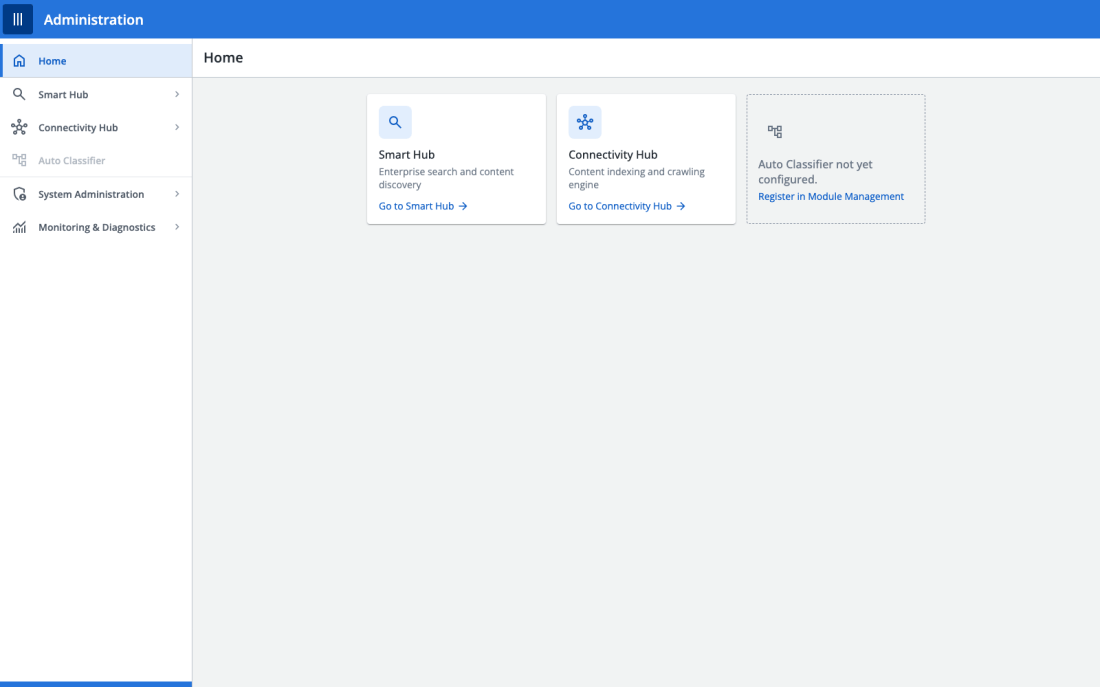
Role: Lead Product Designer, Upland Software · Duration: 2026, design phase, ongoing · Focus: Cross-module admin architecture, prototype consolidation, cross-functional conflict resolution
The Challenge
BA Insight is made up of several distinct modules, AutoClassifier, Connectivity Hub, Search/Enterprise, SmartHub, Smart Previews, each of which had grown its own administration interface over time. That meant an administrator managing the product day-to-day had to context-switch between inconsistent settings screens, security configurations, and diagnostic tools depending on which module they were touching, with no shared visual language or interaction model between them.
The goal of the Unified Admin Platform (UAP) was to bring these scattered admin experiences into one coherent shell, without simply bolting the existing screens together and calling it unified.
Finding the Real Problem in the Prototypes Themselves
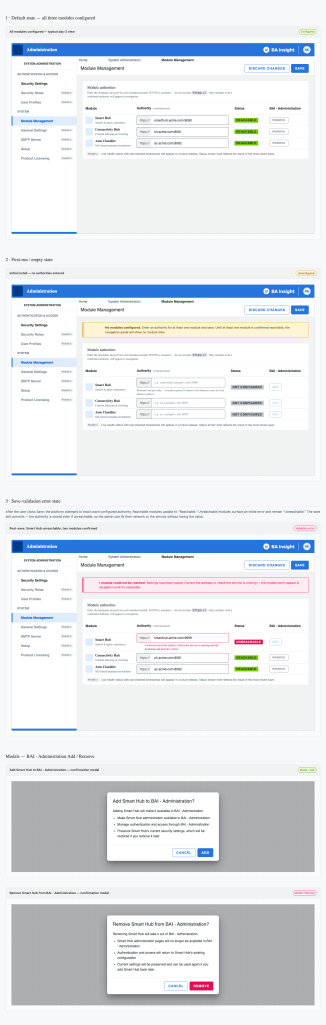
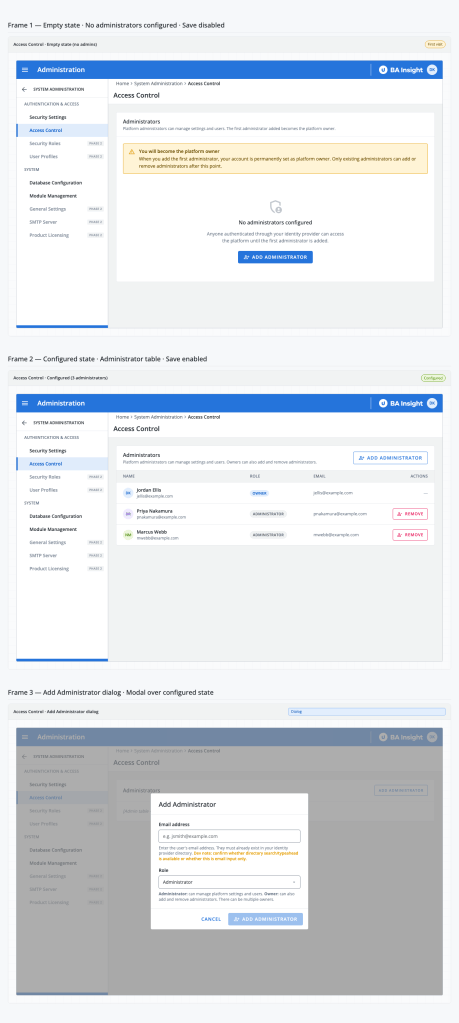
Before UAP could be designed properly, I had to confront a problem in the design process that had produced it. Six separate prototype files had been built for different pieces of the admin experience, and they’d drifted apart: no shared CSS, no shared state model, and, worse, two tickets (covering left-hand navigation module visibility) stating directly contradictory intended behaviour. Rather than pick one and move on, I consolidated all six files into a single React application with a shared design system and state machine, which made the contradiction impossible to paper over and forced a real resolution.
Before: fragmented prototype files
Resolving Conflicting Direction With Evidence, Not Guesswork
The left-hand navigation contradiction mattered because it affected real user-facing behaviour: should a module a user doesn’t have access to be hidden entirely, or shown but disabled? I initially resolved this one way based on the available ticket evidence, then, in a later live working session directly with the engineer who’d actually built the shipped behaviour, learned the real, already-live implementation was the opposite of what the tickets suggested. Rather than treating the earlier direction as final, I reversed the design back to match the true shipped behaviour, and used the incident to tighten how “QA-Approved” status was verified before being treated as ground truth going forward.
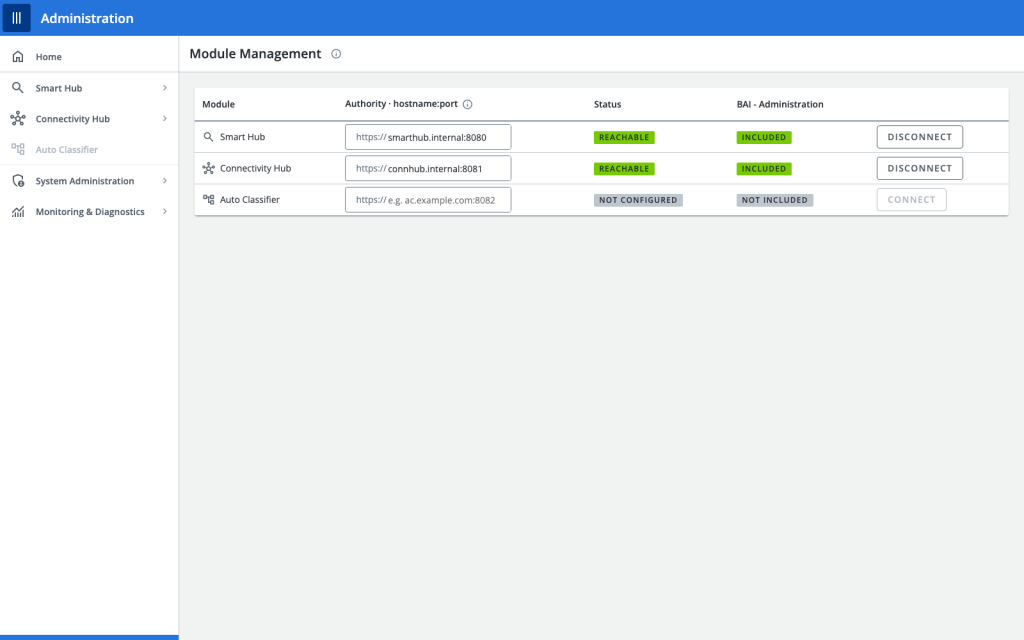
That same working session resolved outstanding terminology questions (deciding “Connect/Disconnect” over “Add/Remove” for module management, with the more ambitious version deliberately deferred to a later phase rather than rushed) and confirmed the final sign-off items still needed from the engineering side.
Handling Scope Honestly
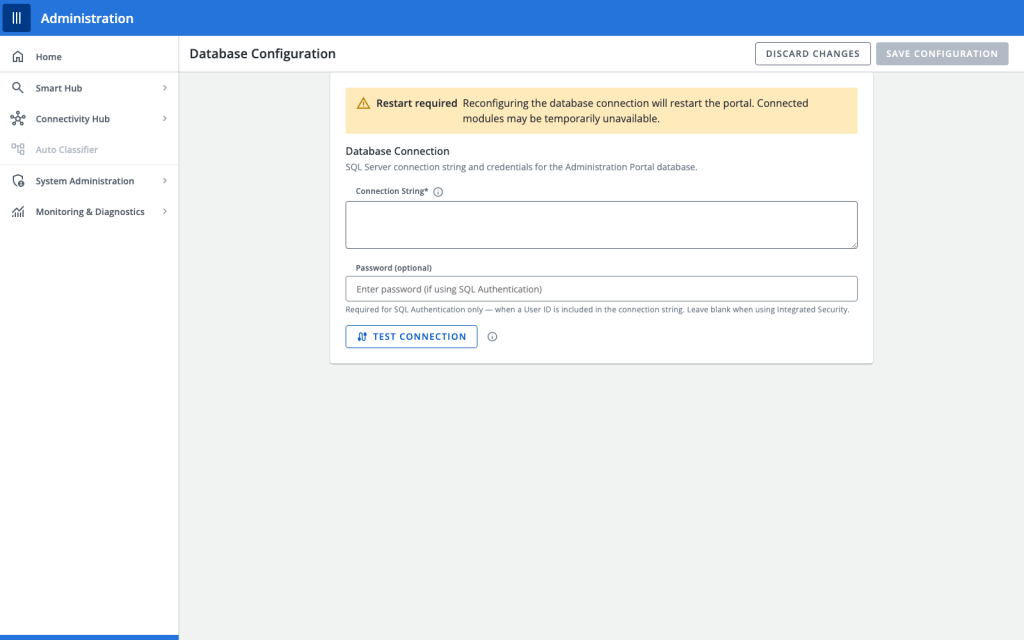
Not every part of this was a clean build. A newly-created epic for the platform’s admin database configuration work was flagged, early, as too broad and insufficiently broken down, rather than accepting the scope as given, I itemised what was actually complete versus outstanding so the team could see the real shape of the remaining work. Separately, when auditing the diagnostics tooling being consolidated into the same platform, I found that several already-in-progress engineering tickets had gone to code review without their underlying design questions being resolved, a real coordination gap between design and delivery that I named explicitly rather than letting slide.
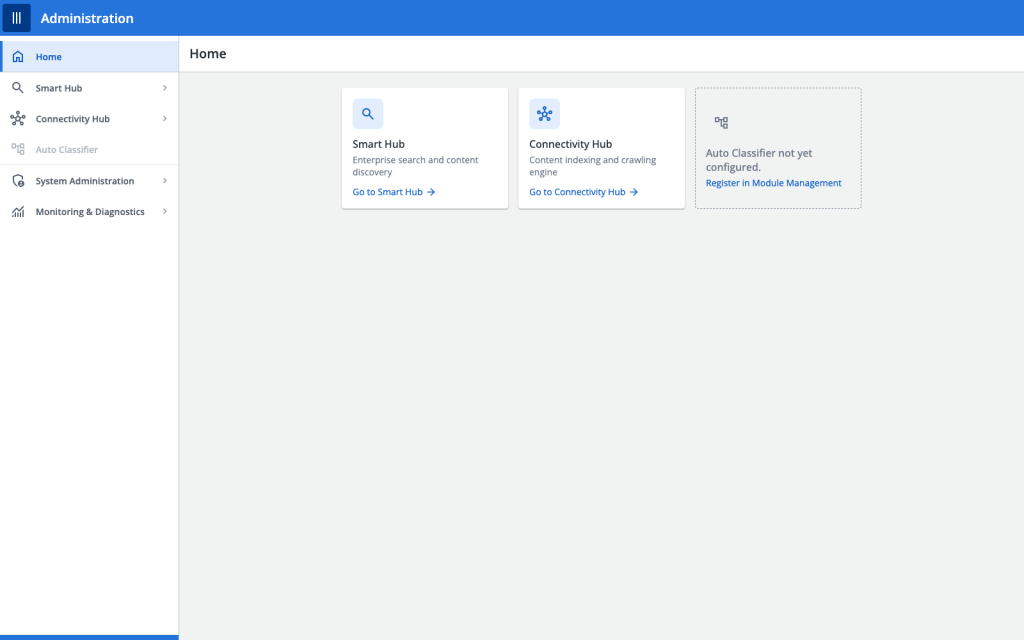
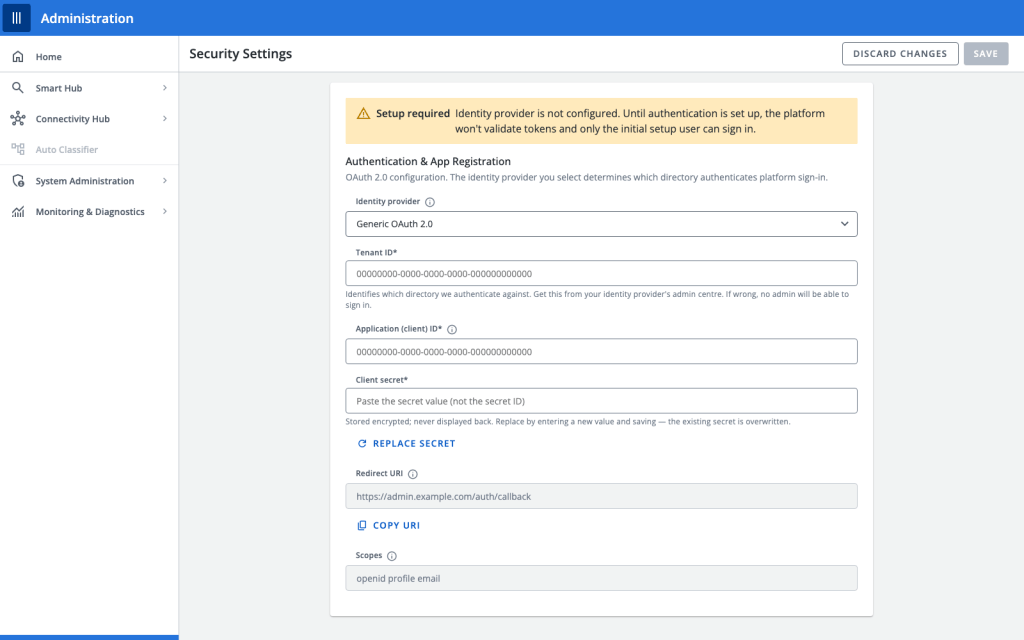
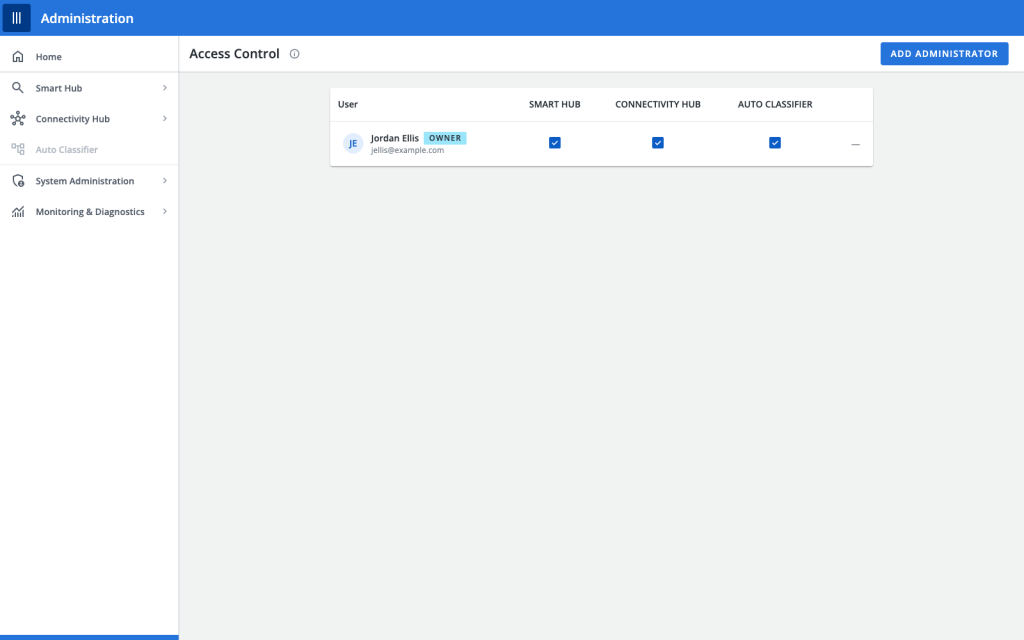
After: the corrected, consolidated platform
The setup journey
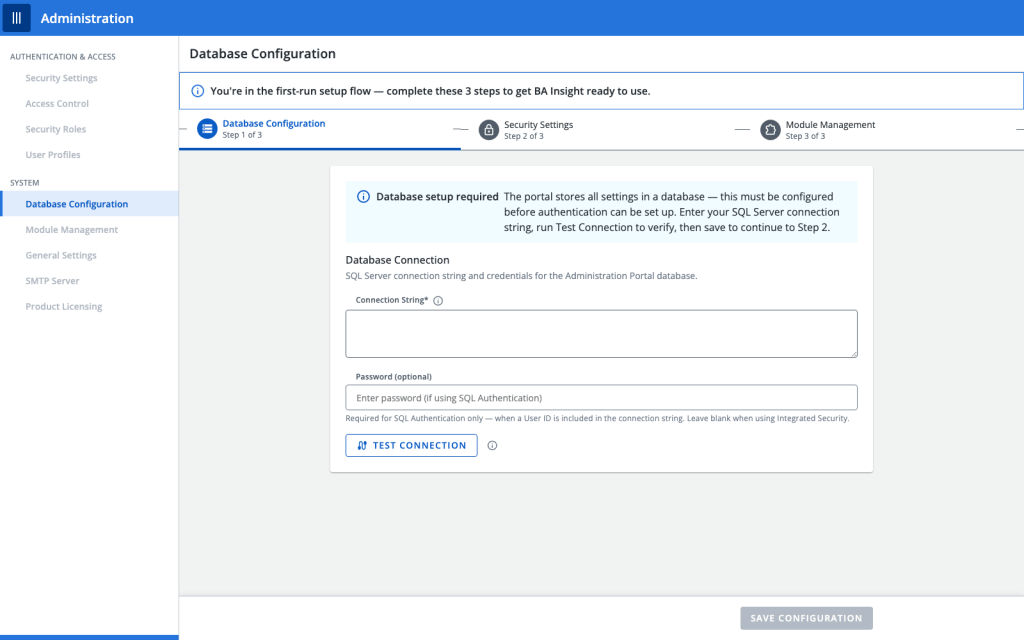
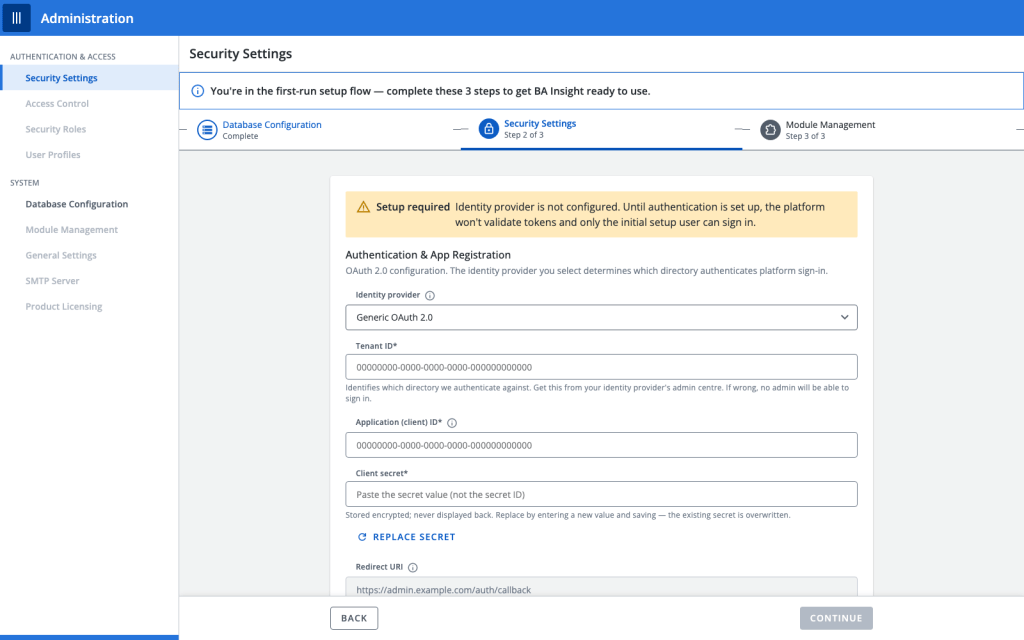
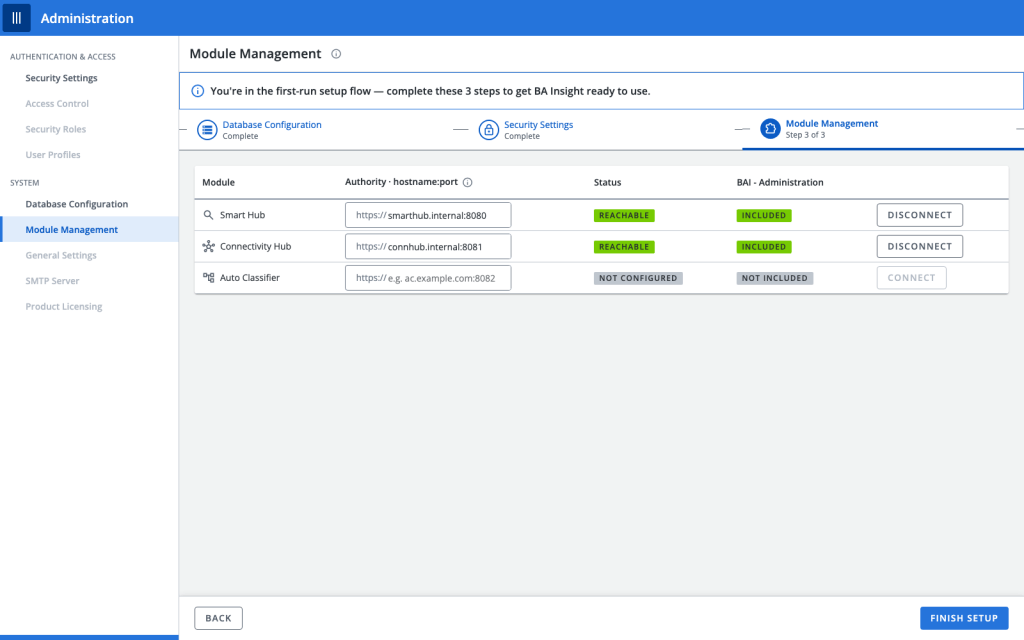
Diagnostics, bundled into the same consolidated platform
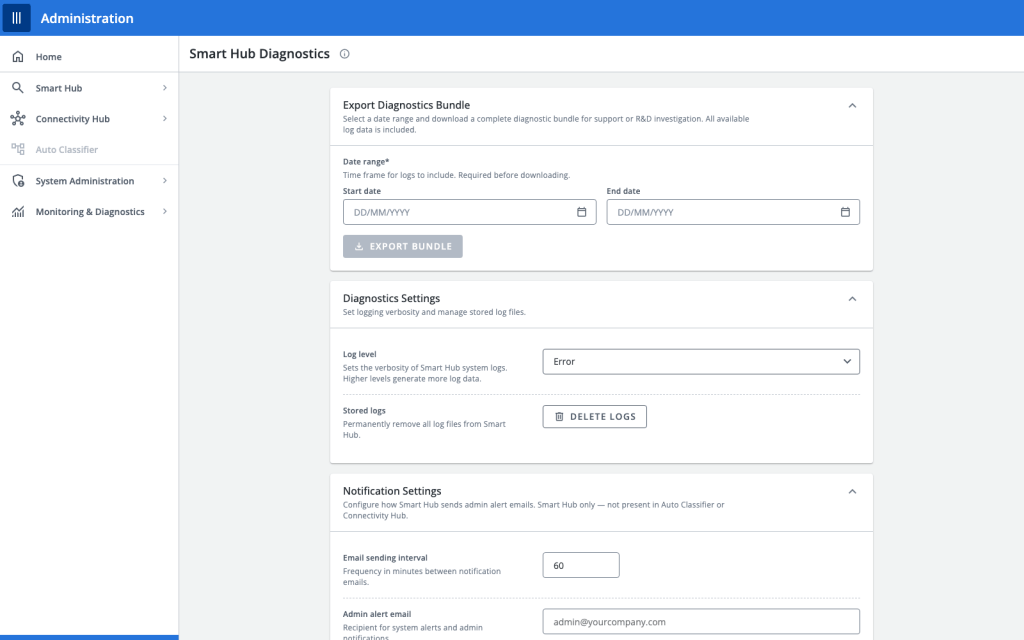
Outcome
The Unified Admin Platform’s first phase reached design completion as a single consolidated prototype covering left-hand navigation, security settings, module management, database configuration, access control, and a full setup-journey walkthrough, replacing six drifting, inconsistent files with one coherent, verified experience, and correcting a real behavioural contradiction before it could cause confusion for administrators using the live product.
Some specifics in this case study are generalised in line with the confidentiality of Upland Software’s internal product data.

